Scanning Jira Service Management attachments: the highest-risk files you have
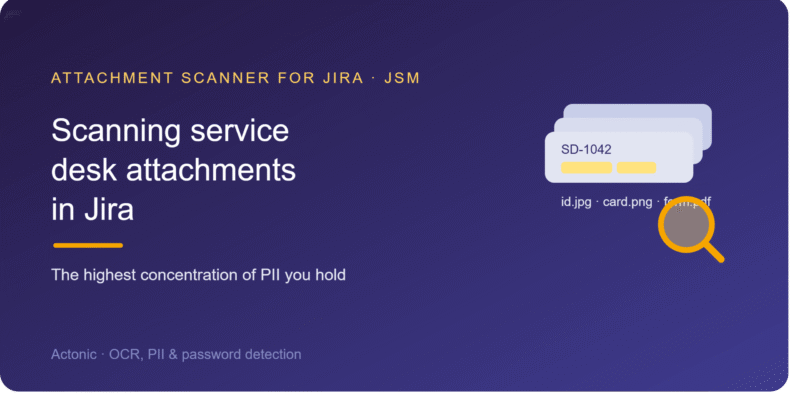
If you want to know where the most sensitive data in your Atlassian estate lives, start with Jira Service Management. A service desk is a machine for collecting attachments from people outside your organisation: customers and employees upload screenshots, ID scans, invoices, statements, and filled-in forms as a matter of course, often without a second thought about what’s in them. Every one of those files lands on a ticket and stays there. If you need to scan JSM attachments for sensitive data, this is the part of Jira where the effort pays off most, because the risk is concentrated and the content is exactly what your other tools can’t read.
Why service-desk attachments are uniquely risky
Three things combine to make JSM attachments the worst-case scenario. First, the uploaders aren’t trained on your data policies — a customer attaching a passport scan to verify their identity isn’t thinking about retention or minimisation. Second, the content is highly sensitive by nature: identity documents, payment details, account information, sometimes health data. Third, the volume is relentless and the files are rarely revisited once the ticket closes. The result is a large, growing archive of other people’s most sensitive data, sitting in a system whose job is collaboration, not custody.
The files are mostly images and scans
What customers upload tends to be visual: a photo of a card, a screenshot of an error that happens to show their account, a scan of a signed form. That makes service-desk content the hardest for ordinary tools and the most important for OCR. Jira’s search indexes the ticket’s fields, not the attached file. Malware scanning checks the file is safe to open, not what it reveals. Text-based DLP has nothing to read on a photographed document. The sensitive data is right there in the image, and invisible to everything that doesn’t perform OCR.
Scanning JSM with Attachment Scanner
Attachment Scanner for Jira works across both Jira Software and Jira Service Management, which makes the service desk a natural place to point it. You define patterns for the data types your desk attracts — card numbers, national IDs, IBANs, email addresses, phone numbers — and scope the scan with JQL to your JSM projects, or to a specific request type or queue. Because the files are predominantly images and scanned PDFs, this is a full-scan use case: the app OCRs each image and scanned page, then matches your patterns and reports every hit with context. A JQL scope keeps a high-volume desk reviewable and the OCR credits predictable rather than scanning years of resolved tickets at once.
Reviewing and remediating at service-desk scale
Volume is the defining challenge of a service desk, so triage tooling matters. Each match carries the issue key, file name, extraction type, matched text, and context, and the statistics dashboard aggregates across the whole scan — match rates, the request types and queues with the most hits, top matched patterns — so you can see which parts of the desk leak the most and tackle them first. When you confirm files that shouldn’t be retained, bulk-select and delete them; deletion is explicit, admin-confirmed, and audit-logged, never automatic. For a busy desk, working from the statistics view down to individual matches is far more efficient than reviewing tickets one by one.
Pair detection with prevention
Finding sensitive data after upload is necessary, but a service desk also rewards prevention. Where you can, give customers a safer channel for identity verification than attaching a raw passport scan, set retention rules so verification documents don’t linger, and remind agents not to screenshot full customer records into internal tickets. Scanning then becomes the safety net that catches what slips through, rather than the only line of defence — and the combination is what keeps a high-traffic desk from quietly becoming your largest PII liability.
Privacy, limits, and getting started
Because service-desk files are so sensitive, the scanning model is central: OCR on dedicated EU/EEA GPU hardware, no public AI service, attachments processed in memory and discarded, and only matched snippets stored in Atlassian’s Forge storage, isolated per site. The honest limits: scanning is on demand rather than continuous, so it catches what’s already there rather than blocking uploads in real time, and the app is Jira Cloud only for now. Within that scope, the service desk is where attachment scanning delivers the most — the highest concentration of sensitive data, in exactly the image-based files nothing else reads. You can try Attachment Scanner for Jira free for 30 days from the Atlassian Marketplace.

 Request