You want to find PII, passwords, or API keys inside your Jira attachments through OCR and regex pattern matching, even when they are buried in screenshots and scanned PDFs? With a single app, you can scan every Jira attachment for GDPR/DSGVO, CCPA, HIPAA, and any data privacy law around the world! Discover every feature in our documentation and say goodbye to blind spots in your Jira!
One single app to scan every Jira attachment for sensitive data
Because manual review of thousands of tickets is not a strategy, and your DLP tools never look inside a screenshot
Your scope, your rules
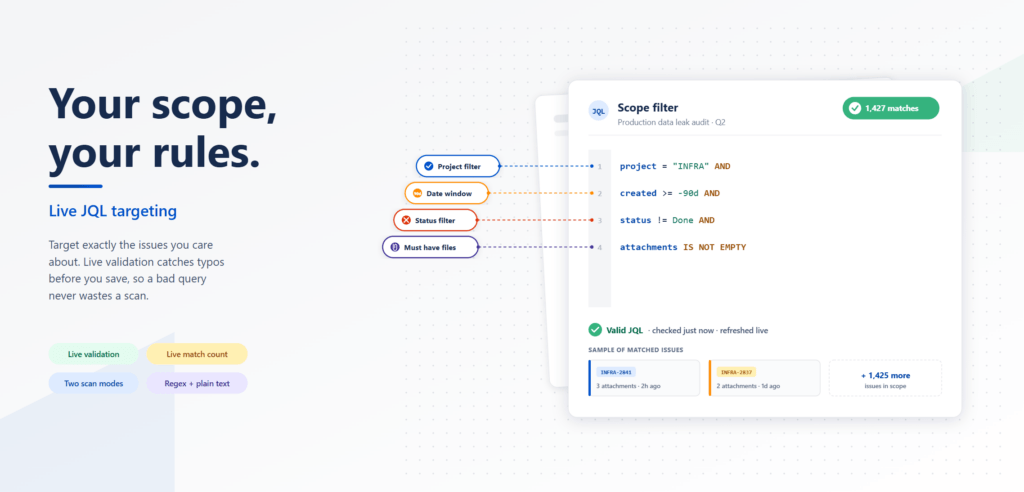
You want to scan only a single project, or every issue created in the last 90 days, or just the open tickets with attachments? Define the exact scope of every scan with full JQL. Whether you target a five-person team or fifty thousand work items, you stay in full control of where the scanner looks.
Check your findings
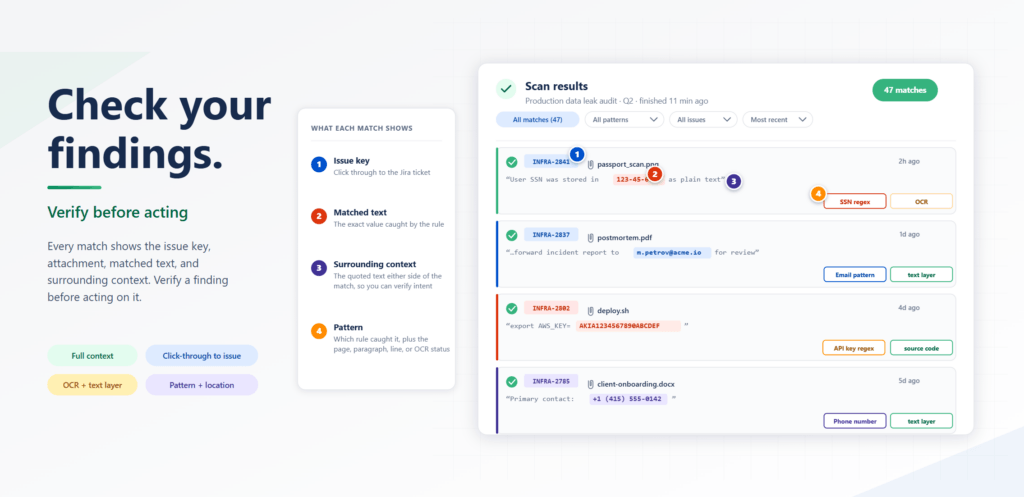
Every match shows the issue key, the attachment name, the matched text, and the surrounding context, so you can verify a finding before acting on it. Click the issue key and you land directly inside the original Jira work item, ready to remediate. Skipped files and warnings sit right next to the matches, never hidden away, so you always know exactly what was covered and what was not. Compliance audits stop being a guessing game.
Your dashboard
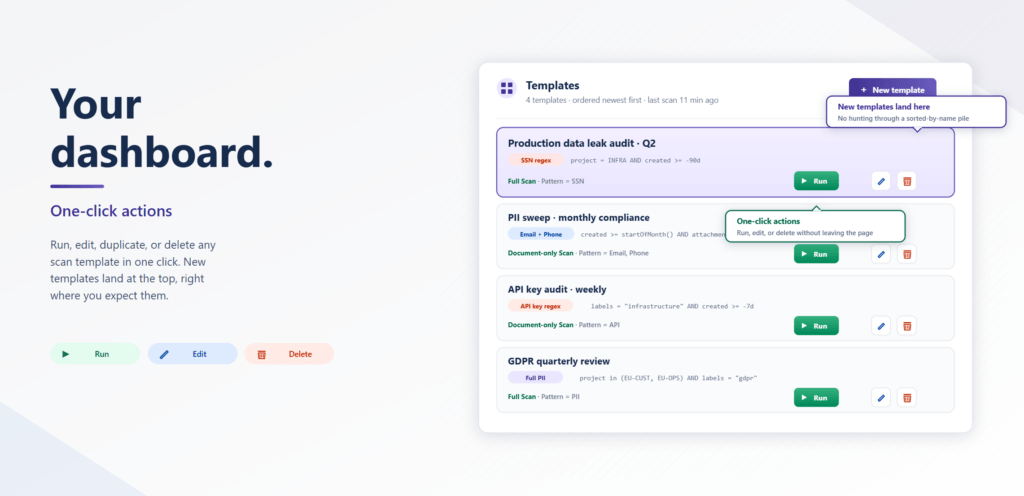
Run, edit, delete, or duplicate any scan template with a single click. Cross-scan statistics show your overall match rate, OCR versus direct text extraction, your top-firing patterns, and the projects with the most violations. Newly created templates always land at the top of the list, right where you expect them. No more hunting through a sorted-by-name pile to find the scan you care about today.
Want a short excursion? Discover information on data protection, data residency, AWS and much more easily explained in our knowledge base.
The only Jira attachment scanner with OCR and zero third-party AI
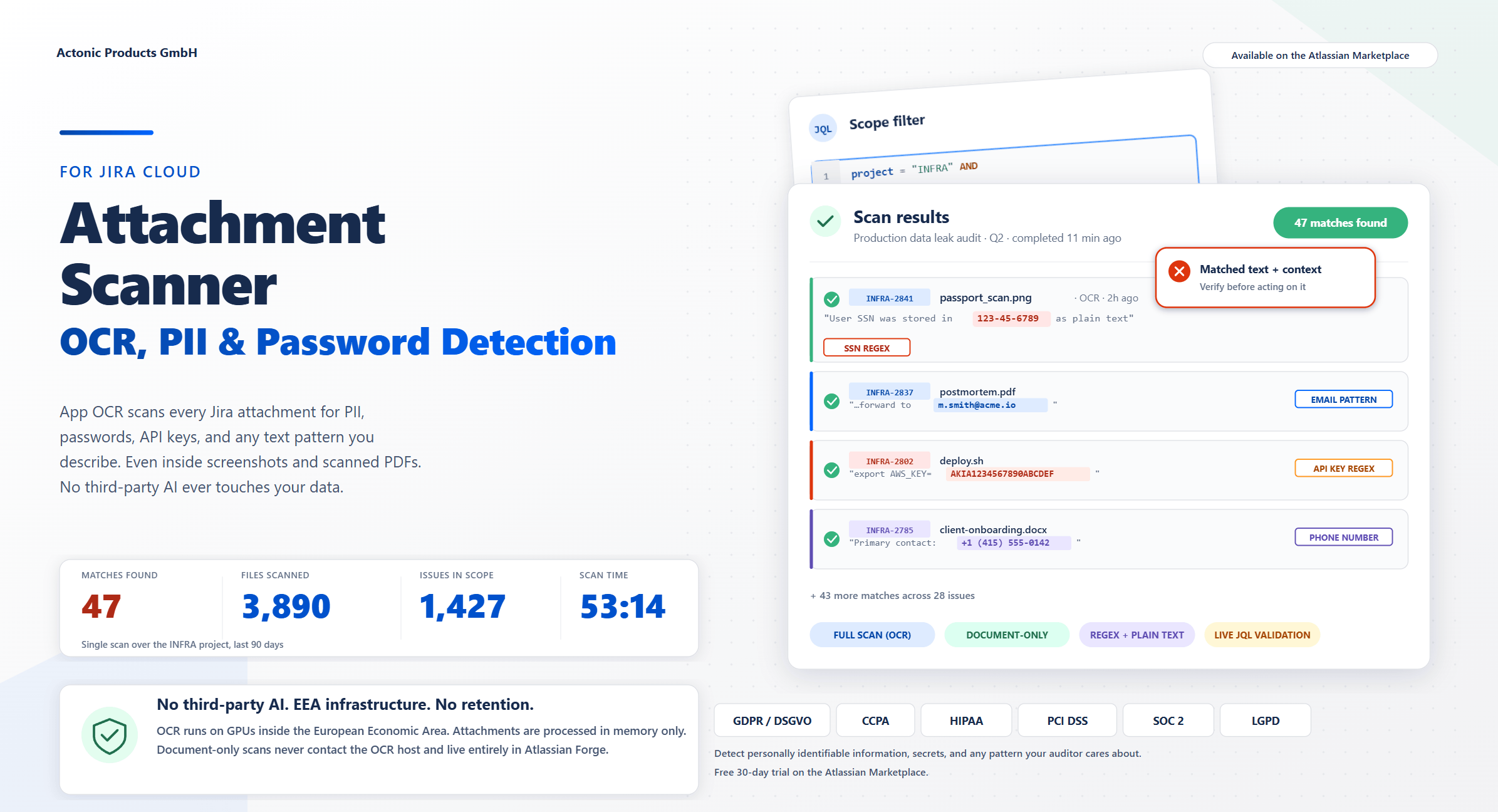
Maximum coverage and minimal risk meet here. Attachment Scanner for Jira is unique in the Atlassian ecosystem because it reads the text inside every attachment, even screenshots and scanned PDFs, without sending a single byte to a public AI service.
Your benefits with Attachment Scanner for Jira
- Find PII, passwords, and API keys hiding inside images and PDFs
- Scan thousands of attachments in minutes, not weeks
- Verify every match with full context before you act
- Avoid million-euro fines from missed compliance violations
- Covers any data protection law such as GDPR/DSGVO, CCPA, HIPAA, PCI DSS or SOC 2
- Save time, prove compliance, and stop wondering what is hiding in your Jira
Product insights
How to create your first scan template
Define a JQL scope, pick a pattern, choose a scan mode: discover how to set up and run your first template in Attachment Scanner for Jira.
How to read your scan results
Verify findings, click straight through to the Jira work item, and bulk-clean violating attachments: find out how to act on every match the scanner surfaces.
Explore the features of our app in detail
Unravel the layers of our app’s potential with this playlist, as each video offers a meticulous breakdown of a specific function. Our product owner Nikoloz Surmanidze will be your guide!
FAQ
Many companies are under the misconception that GDPR/DSGVO only applies to them if they have physical establishments in the EU. In reality, GDPR/DSGVO applies to any company operating in the EU, regardless of its physical presence, and companies processing personal data of individuals in the EU, irrespective of their nationality. You can also read our article that explains and compares Data Privacy Laws.
The California Consumer Privacy Act (CCPA) was enacted on January 1, 2020, to protect any personal information that could be linked to California residents. So if you rule an entity that is in California or collects, shares or sells personal data of Californian residents, AND if these apply to your company:
-
Annual revenues of more than $25 million
-
Data processing of greater than 50,000 users
-
Gains at least 50% of revenue from selling personal data,
you must be CCPA-compliant.
You can also read our article that explains and compares Data Privacy Laws.
Explicitly for healthcare, the U.S. has passed a law called HIPAA (Health Insurance Portability and Accountability) in 1996. Companies working in healthcare, healthcare providers such as hospitals, doctors, or even government programs such as Medicare, should check if their Jira and Confluence instance is HIPAA-compliant. You can do the HIPAA-compliance check here.
No tool can guarantee full compliance on its own. Compliance is a combination of policies, processes, training, and the right technical controls working together. What Attachment Scanner does is give you a reliable, repeatable way to detect sensitive data inside Jira attachments, prove coverage to auditors, and remediate violations quickly. It is one essential layer of a complete data protection programme.
Not yet. Attachment Scanner currently supports Jira Cloud only. If you would benefit from the same OCR-powered scanning inside Confluence pages and attachments, get in touch and let us know. We prioritise our roadmap based on customer requests.
Native Atlassian search only looks inside text fields and indexed metadata. It cannot read what is inside an image, a screenshot, or a scanned PDF. Most sensitive data leaks happen exactly there. Attachment Scanner opens every attachment and runs OCR or direct text extraction on it, so you find data your DLP tools and Jira’s native search will never see.
The OCR service processes attachments in memory only and never persists them. Document Scan (No OCR), scan results, templates, and the audit log are stored inside Atlassian’s Forge Storage tied to your installation, which means they stay inside Atlassian-hosted infrastructure. When you uninstall the app, Forge removes everything automatically.
All data in transit between Jira, the app, and the OCR service is encrypted with TLS. Data at rest inside Forge Storage is encrypted by Atlassian’s standard infrastructure controls. The OCR service runs on hardware inside the European Economic Area, with no persistent storage on the OCR side. No data ever leaves Atlassian-controlled or Actonic-controlled infrastructure.
As a part of our internal audit process, once per quarter.
Move securely into the future with Attachment Scanner for Jira
- Find PII, passwords, and secrets hiding inside every attachment
- Built-in OCR with zero third-party AI involved
- Click-through findings with full context, ready to act on
- For: GDPR/DSGVO, CCPA, HIPAA, PCI DSS, SOC 2 and more
Migrating from Data Center to Cloud?
Continue protecting your data after migration. We offer a 12-week free trial, 20% first-year discount, and a dedicated onboarding specialist to rebuild your configuration in Cloud.