Passwords in Screenshots, PII in Scanned PDFs: How to Scan Jira Attachments for Sensitive Data – Now Free for Teams up to 10 Users
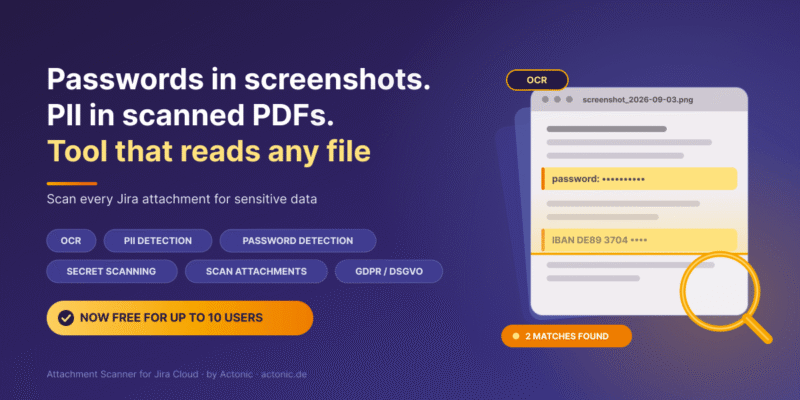
Your Jira instance knows exactly who is assigned to every ticket, which sprint it belongs to and when it was last updated. What it does not know is what is written inside the 40,000 files your teams have attached to those tickets over the past four years.
That is not a configuration problem. It is how Jira works. Jira search and JQL index fields, comments and metadata. They do not read file contents. Permission schemes control who can open an issue, not what is sitting inside the attachment on it. And most data loss prevention tooling stops at the same boundary: it reads text, so it sees text fields and text files, and goes completely blind the moment the content is a screenshot.
Which is unfortunate, because a screenshot is exactly how sensitive data usually enters a ticket.
The blind spot, in concrete terms
Think about what actually gets dragged into a Jira issue during a normal week:
- A developer pastes a screenshot of a terminal window to show an error. The window above it still shows an exported
.envfile with an API key and a database password. - A support agent attaches the customer’s scanned ID card to a Jira Service Management ticket so the billing team can verify an address change.
- A finance colleague uploads an XLSX with a column of full card numbers “just to reproduce the bug in the payment form”.
- Someone photographs a whiteboard that lists the shared admin credentials for the staging environment.
- A customer uploads a scanned PDF of a medical certificate to a JSM portal request.
Every one of those files is now permanently sitting in your Jira instance. None of them can be found by searching Jira. Four of the five cannot be read by a text-based security scanner at all, because there is no text layer – only pixels.
This is the gap that OCR closes, and it is the reason a generic PII scanner is not enough on its own.
Why OCR is the part that matters
OCR (Optical Character Recognition) reads the text that lives inside an image. Applied to Jira attachments, it turns the unreadable half of your data into something you can actually search, match and act on.
Without OCR, an attachment security scanner can process DOCX, XLSX, PPTX, CSV, TXT, JSON and PDFs that carry a text layer. That is useful. But the highest-risk content in most Jira instances – screenshots, phone photos, scans of signed forms and ID documents – arrives as PNG, JPG or as a scanned PDF that is really just an image in a PDF wrapper. Without OCR, a scan of that instance returns zero matches and everyone concludes the data is clean.
Zero matches and zero visibility look identical in a report. Only one of them is good news.
What an attachment security scanner actually needs to do
If you are evaluating tools for PII detection, password detection or secret scanning inside Atlassian tools, these are the capabilities worth checking:
- Reads inside images and scanned PDFs, not just text files. Ask for an OCR demo on a real screenshot, not a slide.
- Lets you define what “sensitive” means for you. IBANs, national ID formats, internal customer-number schemes and your own API key prefixes are not in anyone’s default rule catalogue. Regex and wildcard patterns cover what a fixed list cannot.
- Scopes the scan precisely. Scanning every attachment in every project since 2019 is slow and expensive. Scanning one JSM project’s last 90 days is a decision you can act on this afternoon.
- Shows context around every match, so a human can tell a real card number from an order reference before anything gets deleted.
- Never deletes anything on its own. Automatic remediation on a false positive destroys evidence.
- Keeps an audit log. If you cannot show an auditor what you scanned, when, and what you did about the findings, the scan did not really happen.
- Is honest about where your data is processed. Sending confidential attachments to a public AI endpoint in order to detect confidential data is a strange way to improve your privacy posture.
How Attachment Scanner for Jira works
Attachment Scanner – OCR, PII & Password Detection for Jira is an Atlassian Forge app built by Actonic for exactly this job. The workflow has four steps.
1. Define a pattern
A simple text pattern with * wildcards, or full regex. Credit card formats, IBANs, social security numbers, sk_live_-style API key prefixes, password:, BEGIN RSA PRIVATE KEY, your internal customer ID format – whatever you need to find. Patterns are validated live, so a broken expression never wastes a scan.
2. Set a JQL scope
Anything JQL can express: one project, the last 90 days, only open issues, only tickets from a specific request type. This keeps scans fast and targeted.
3. Choose a scan mode
Full scan reads everything, including images and all PDF types, using OCR where there is no text layer.
Document-only scan covers Office and text files, skips images and PDFs entirely, uses zero OCR credits and never contacts the OCR service at all.
Save the combination as a reusable template, then run, edit, duplicate or delete it from the dashboard.
4. Review and remediate
Every match shows the issue key with click-through to Jira, the attachment name, whether the text came from OCR or direct extraction, the matched text and the surrounding context. Skipped files and warnings are displayed alongside the matches rather than hidden. Confirmed findings can be bulk-selected and the attachments deleted – always as an explicit, confirmed admin action, always written to the audit log.
A statistics dashboard aggregates across scans: match rate, OCR versus direct extraction, most frequently matched patterns, and which projects and work items produce the most findings. That last view tends to be the one that changes behaviour, because it shows you which team keeps pasting credentials into tickets.
New: free for Jira sites with up to 10 users
Attachment Scanner is now free on the up-to-10-users tier. Small teams, startups, agencies and internal pilot instances get the full app at no cost, including 100 OCR credits per month for scanning images and scanned PDF pages, plus unlimited Document-only scans, which never consume credits.
This is not a feature-limited edition. It is the same OCR engine, the same pattern and JQL scoping, the same results review, the same bulk deletion with audit logging, and the same EU-based privacy architecture described below.
Two reasons we did it:
- A ten-person company carries the same GDPR obligations as a thousand-person one. The regulation does not scale with headcount, so neither should basic data visibility.
- The fastest way to understand whether you have a problem is to scan your own instance. If that costs nothing, there is no reason to postpone it.
Larger instances keep a monthly OCR credit allowance that scales with the Marketplace user tier, from 1,000 credits at 11–100 users up to 500,000 at the top tier. One credit covers one image or one OCR’d PDF page; text-layer PDFs, Office documents and text files cost nothing. Credits reset each calendar month, and if you run out, Document-only scans keep working.
The GDPR / DSGVO angle
Article 5 of the GDPR requires you to know what personal data you process. Article 15 gives data subjects the right to a copy of it. Article 17 gives them the right to have it erased. Article 30 requires records of processing activities. Article 32 requires appropriate technical measures to protect it.
Every one of those obligations assumes something that is usually untrue in practice: that you can find the personal data you hold.
A data subject sends an erasure request. You delete their account, purge the CRM record and close the file. Two years later, an auditor opens a Jira Service Management ticket from 2023 and finds the scan of their passport still attached. The deletion was performed in good faith and it was still incomplete, because nobody could search inside the attachments.
For a DSGVO or GDPR compliance programme, an OCR-capable attachment scanner contributes in three concrete ways:
- Discovery. A repeatable, documented way to answer “what personal data sits in our Jira attachments, and in which projects?”
- Erasure support. Locate every attachment containing a specific identifier when a deletion request arrives, instead of hoping.
- Evidence. Scan templates, results and an audit log of every deletion – the kind of artefact an auditor can actually inspect.
The honest caveat: no tool makes you compliant on its own. Compliance is policy, process, training and technical controls together. This is one technical control, covering a gap that most programmes currently leave open.
Privacy architecture: where your attachments go
A scanner that reads every confidential file in your Jira instance deserves scrutiny. Here is the full picture:
- No public AI services. Nothing is sent to OpenAI, Google, Anthropic or any comparable public endpoint.
- In-memory only. Attachment binaries are processed in RAM and discarded immediately after text extraction. Full attachment contents and full extracted text are never persisted anywhere.
- Your own storage. Templates, matched snippets, results and audit logs live in Atlassian Forge storage, isolated per site. Nothing is stored on Actonic servers. Uninstalling the app removes it all automatically.
- No identity fields. Reporter and assignee fields are not read or stored. Audit entries reference only the acting admin’s Atlassian account ID, not names or email addresses.
- Encryption. TLS in transit, Forge encryption at rest under Atlassian’s controls.
For regulated sectors and EU buyers with data residency requirements, this is usually the part of the conversation that matters most.
What it does not do
Being straight about the boundaries saves everyone a disappointing trial:
- Jira Cloud only. No Data Center. Confluence support is on the roadmap and driven by customer demand – tell us if you need it.
- On-demand scanning. There is no continuous monitoring and no blocking of uploads at write time. You run scans, when you choose, on the scope you choose.
- You define the patterns. There is no shipped catalogue of 80+ prebuilt detectors. The trade-off is that patterns match your data exactly instead of approximately.
- Document-only mode skips all PDFs, including those with a readable text layer, because PDF extraction routes through the OCR-capable service. Skipping them is what makes that mode honestly GPU-free.
- No automatic deletion. Ever. A human confirms every removal.
- File size caps. 50 MB per PDF, 20 MB per image.
A 30-minute first scan
If you want to know whether this gap exists in your instance, the fastest route is not a demo – it is a scan of your own data.
- Install Attachment Scanner from the Atlassian Marketplace. Up to 10 users it is free; above that there is a 30-day trial with 100 evaluation credits per month.
- Create a template scoped to one project, ideally a Jira Service Management project or a support-heavy one, over the last 90 days.
- Use a pattern you can verify by eye – a card number format,
password, an IBAN prefix, or your own API key prefix. - Run a Full scan and look at the OCR matches specifically. Those are the ones nothing else in your stack would have found.
Most teams find something in the first run. That first finding is usually worth more than any slide deck about data protection.
Frequently asked questions
No. Jira search and JQL index fields, comments and metadata, not file contents. A password inside an attached screenshot is invisible to both Jira search and most DLP tooling.
A normal PII scanner reads text. It covers fields, comments and text-layer files, and returns nothing for a screenshot or a scanned form because there is no text to read. OCR converts the pixels into text first, so the same patterns can be matched against image content.
No. Jira sites with up to 10 users get the full app free, including 100 OCR credits per month and unlimited Document-only scans.
No. OCR runs on dedicated EU/EEA GPU hardware managed by Actonic. Attachments are processed in memory and discarded; only matched snippets with short context are stored, inside your own Atlassian Forge storage.
No. Deletion is always an explicit, admin-confirmed bulk action and every deletion is written to the audit log.
Yes, with both Jira Software and Jira Service Management on Jira Cloud. Service desk projects are often the highest-value scope, since customers upload ID scans, screenshots and exports there.
No tool can do that alone. It gives you a repeatable, auditable technical control for finding and remediating sensitive data inside Jira attachments, which is one necessary layer of a wider programme.
Not today. Attachment Scanner is Jira Cloud only. The roadmap is customer-driven, so tell us if you need Confluence or Data Center support.

 Request