Timesheet Builder – Time Tracking, Timesheets & Worklog Reports for Jira
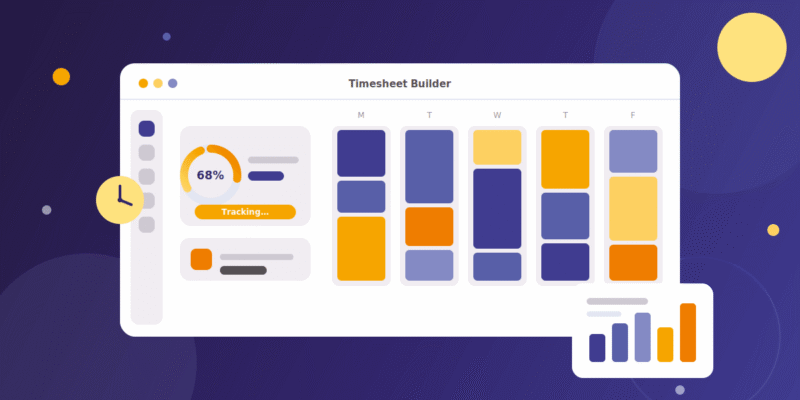
Timesheet Builder is a GDPR-compliant Jira time tracking app for Jira Cloud and Jira Data Center. It adds a timer, calendar and timesheet views to Jira, lets you tag time as billable or non-billable, and gives team leads capacity planning, cross-team reports and Excel export – developed in Germany with zero data retention.
What is Timesheet Builder for Jira?
Timesheet Builder is a time tracking app for Jira, built by Actonic Products GmbH, a German Silver Marketplace Partner. It turns Jira’s basic time logging into a full time-tracking and team-management workflow: individuals log time with a start/stop timer and review it in calendar and timesheet views, while team leads plan capacity, manage roles and export structured timesheets.
Because it is developed and hosted in Germany and stores no in-scope personal data (zero data retention), it is a natural fit for European and GDPR-sensitive organizations that cannot use US-hosted time-tracking tools.
At a glance: Jira Cloud & Data Center · timer + calendar + timesheets · billable / non-billable tagging · team capacity planning · cross-team reports · Excel export · developed in Germany · free 30-day trial.
Key features
My Timesheets (for individuals)
- Timer function – start and stop a timer directly in Jira; every worklog is calculated automatically.
- Calendar view – see all your worklogs laid out by week or month.
- Timesheet & worklog analysis – a structured overview of all your time bookings for fast self-optimization.
- Billable / non-billable tagging – tag time entries with worklog attributes, including custom attributes defined by admins.
- Availability management – track and manage your individual availability.
Teams (for team leads)
- Team management – create teams and bulk-add members in a few clicks.
- Capacity calculation – calculate team capacity per week or month from each member’s workload and holiday calendars.
- Team worklog analysis – see how a team’s time is distributed across projects.
- Roles & permissions – granular, custom access control for team leads, controllers, and other roles you define.
Cross-team reports
- Time Tracking report – aggregate worklog data across multiple teams.
- Timesheet report – a structured, multi-team timesheet overview.
- Excel export – export worklogs and timesheets for finance, payroll or client billing.
- Report Builder integration – pair with Actonic’s Report Builder for fully custom, advanced worklog reports.
Security & privacy
- Zero data retention – Actonic stores no in-scope personal data.
- Developed & hosted in Germany – GDPR compliance by design.
- Secured worklogs (Data Center) – worklogs visible only to the roles and groups you define.
- Public REST API & custom JQL (Data Center) – for integrations and filtering secured worklogs.
Who uses Timesheet Builder
Timesheet Builder is built for team leads and project managers who need more than Jira’s native logging, and for organizations where accurate time data and data privacy both matter:
- European & GDPR-sensitive teams that need time tracking hosted in the EU.
- Consulting, agency and professional-services teams tracking billable client hours.
- Finance and HR teams reporting billable vs non-billable time.
- Remote and distributed teams that need capacity planning and resource allocation.
- Agile teams on Jira Cloud or Data Center that have outgrown built-in time logs.
Timesheet Builder vs Tempo, Clockwork and Worklogs
How Timesheet Builder compares to the most common Jira time-tracking apps:
| Capability | Timesheet Builder | Tempo Timesheets | Clockwork Pro | Worklogs |
|---|---|---|---|---|
| Timer + calendar + timesheet views | Yes, built in | Yes | Automated tracking by issue status | Basic |
| Team management & capacity planning | Strong, built in | Available | Limited | Limited |
| Billable / non-billable + custom attributes | Yes | Yes | Partial | Basic |
| Advanced reporting | Via Report Builder integration | Add-on / eazyBI often needed | Basic | CSV export only |
| Excel export | Yes | Yes | Yes | CSV |
| Data hosting | Germany (EU), zero data retention | US-hosted | Varies | Varies |
| Setup effort | Easy | Higher admin overhead | Low | Low |
| Best fit | Mid-market & EU / GDPR-sensitive teams | Large enterprises with budget | Simple, hands-off individual tracking | Very small teams on a budget |
| Free trial | Yes | Yes | Yes | Yes |
Looking for a Tempo Timesheets alternative?
Timesheet Builder is a lighter, more affordable alternative to Tempo Timesheets for teams that want timers, timesheets, billable tracking and capacity planning without Tempo’s cost at scale or setup overhead. The decisive difference for many European teams is hosting: Timesheet Builder runs on German infrastructure with zero data retention, while Tempo is US-hosted – a real GDPR consideration.
Choose Timesheet Builder when you want: comparable core time-tracking features, simpler onboarding, transparent per-user pricing, EU data hosting, and a clean upgrade path to advanced reporting via Report Builder.
Pricing & platforms
Timesheet Builder is paid via the Atlassian Marketplace with transparent per-user pricing and a free 30-day trial. It supports Jira Cloud and Jira Data Center 8.13.0 – 10.7.4 and later.
- Trial: Free 30-day trial, no commitment.
- Hosting supported: Jira Cloud, Jira Data Center.
Frequently asked questions
Timesheet Builder is a time tracking app for Jira Cloud and Jira Data Center by Actonic Products GmbH. It adds a timer, calendar and timesheet views to Jira, lets you tag time as billable or non-billable, and gives team leads capacity planning, cross-team reports and Excel export. It is developed and hosted in Germany with zero data retention, making it GDPR-compliant by design.
Yes. Timesheet Builder is a lighter, more affordable alternative to Tempo Timesheets for teams that want timers, timesheets, billable tracking and team capacity planning without Tempo’s cost and setup overhead. It is hosted in Germany rather than the US, which is a decisive advantage for EU and GDPR-sensitive organizations.
Yes. Timesheet Builder supports both Jira Cloud and Jira Data Center (versions 8.13.0 to 10.7.4 and later). Data Center adds features such as secured worklogs, custom JQL filtering and a public REST API.
Yes. Timesheet Builder is developed and hosted in Germany and operates on a zero-data-retention model, meaning no in-scope personal data is stored by Actonic. This makes it a strong fit for European teams with strict GDPR requirements.
In Timesheet Builder you tag each worklog with a billable or non-billable attribute, and admins can add custom attributes to match any workflow. The timesheet view then breaks down time by attribute so you can report billable hours per project, client or team.
Yes. Team leads can calculate team capacity for a week or month based on the workload calendar assigned to each team member, monitor workload distribution across projects, and manage roles and permissions from one place.
Yes. Timesheet Builder supports Excel export of worklogs and timesheets. For fully custom, advanced reporting you can pair it with Actonic’s Report Builder app.
Timesheet Builder is paid via the Atlassian Marketplace with transparent per-user pricing and includes a free 30-day trial. See the Atlassian Marketplace pricing tab for current rates by user tier.
Jira’s native time logging is basic: no timer, no calendar view, no team capacity reports and no billable tagging. Timesheet Builder adds all of these, plus structured team timesheets, cross-team reporting and Excel export.
Try Timesheet Builder free for 30 days
Add proper time tracking, timesheets and team capacity planning to Jira – with zero data retention.

 Request