Jira Attachment Scanner: Find PII, Passwords & Secrets Hiding in Your Files
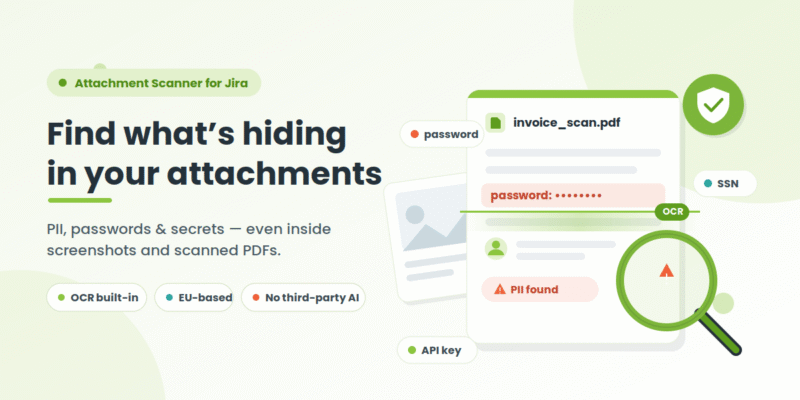
Attachment Scanner – OCR, PII & Password Detection for Jira reads the text inside your Jira attachments – including screenshots and scanned PDFs – so sensitive data your existing tools can’t see never slips through. Built-in OCR, zero third-party AI, EU-based processing.
In short: Jira search and most DLP tools index fields and comments, not file contents – so a password in a screenshot or an SSN on a scanned form is invisible to them. Attachment Scanner opens every supported attachment, runs OCR on images and scanned PDFs, reports every match with full context, and lets an admin remediate – all with EU-based processing and no public AI service involved.
The blind spot: your riskiest data hides where text scanners go blind
Jira has quietly become a data vault. Every ticket, comment, and uploaded file can hold personally identifiable information (PII), payment data, health information, or credentials. Permission schemes control who can open an issue – not what’s stored inside the attachment. And the highest-risk content is often a screenshot of a login screen, a scanned ID form, or an exported PDF, where text-based scanning simply can’t reach.
Attachment Scanner closes that gap. You define a detection pattern and a JQL scope; the app reads every supported attachment – using OCR for images and scanned PDFs – and surfaces every match so you can act on it.
Why teams choose Attachment Scanner for Jira
🔍 Built-in OCR that reads images
The core differentiator: Attachment Scanner reads text inside screenshots and scanned PDFs, not just text-layer files. Passwords, API keys, and PII hiding in images are caught – exactly the content most secret and PII scanners miss.
🛡️ Zero third-party AI
Nothing is sent to OpenAI, Google, or any public AI service – a privacy model built for regulated and EU buyers.
🧠 In-memory-only processing
Attachment binaries are processed in memory and discarded immediately. Only matched snippets (with short context) are stored – never full files, never full extracted text – inside Atlassian’s own Forge storage.
🎯 JQL-scoped, pattern-driven
Target exactly the issues that matter with a JQL scope plus a simple wildcard or full regex pattern. Live validation catches typos before a scan runs. Reusable templates make repeat audits one click.
📄 Broad file coverage
Reads images (PNG/JPG/screenshots), scanned and text-layer PDFs, Office files (DOCX/XLSX/PPTX), CSV, and plain text. Works across Jira Software and Jira Service Management.
✅ Human-in-the-loop remediation
Review every match with the issue key, file name, matched text, and surrounding context – then bulk-delete violating attachments. Deletion is always an explicit, admin-confirmed action, captured in a full audit log. No automatic deletion.
No surprise costs. Full scans use a per-site OCR credit budget (1 credit per image, 1 per OCR’d PDF page; text-layer PDFs, Office, and text files cost 0). A free Document-only mode scans Office and text files with zero credits and never contacts the OCR service. Start with a 30-day free trial and 100 evaluation credits per month.
Comparison with other apps
| Capability | Attachment Scanner (Actonic) | Data – PII Scanner DLP (miniOrange) | PII Protection & DLP (Polymetis) |
|---|---|---|---|
| Primary focus | OCR-reading attachment contents | Real-time DLP with redaction & encryption | Broad, hands-off DLP across issues |
| Platform | Jira Cloud (Forge) | Jira Cloud (Forge) | Jira Cloud (Forge) |
| OCR – text inside images/scanned PDFs | ✅ Dedicated EU GPU OCR (core specialty) | ❌ Regex only (AI scanning “coming soon”) | ✅ Detects text within images (in-instance) |
| What it scans | Attachments: images, PDFs, Office, CSV, text
For Jira fields actonic has a separate app |
Ticket text (80+ types) + PDF/Doc attachments | All issues incl. images & text attachments |
| Built-in detection rules | You define patterns (regex/wildcard) – fully customized | 80+ built-in + custom regex | 70+ built-in types |
| Scan trigger | On-demand (JQL-scoped) | Real-time + on-demand (scheduled coming soon) | Automatic on change + on-demand Site Scan |
| Remediation | Manual bulk-delete (audit-logged) – lowest risk | Automated redaction + encrypt/decrypt | Automated via Jira Automation (quarantine, alerts) |
| Third-party / public AI | None | None | None |
| Confluence | Roadmap (by request) | Yes (separate app) | Yes (separate app) |
| Free trial | Yes (via Atlassian) | Yes (via Atlassian) | Yes (via Atlassian) |
If your specific risk is sensitive data buried in screenshots and scanned documents, and you need explicit EU data residency with no public AI, Attachment Scanner is purpose-built for exactly that.
Who Attachment Scanner is built for
- Data Protection Officers & GRC leads – prove what PII you hold and where, including inside attachments, for GDPR and audit readiness.
- Security & AppSec engineers – catch credentials and API keys hiding in screenshots that text-based secret scanners can’t see.
- Jira / Atlassian admins – scan thousands of attachments by JQL scope and remediate from one screen instead of ticket-by-ticket.
- Jira Service Management teams – customer-uploaded ID scans and screenshots are a high-risk PII source worth scanning.
- Regulated sectors (healthcare, finance, public) – EU-based OCR, no third-party AI, and in-memory-only processing for the most sensitive content.
Privacy & compliance
Attachment Scanner is one reliable, auditable technical control inside a broader compliance programme – no single tool guarantees compliance on its own. It supports data-protection efforts under GDPR, HIPAA, PCI-DSS, SOC 2, ISO 27001, and CCPA by helping you find and remediate sensitive data in Jira attachments, with EU/EEA processing, in-memory-only handling, Forge storage isolated per site, and a full audit trail. Uninstalling the app removes its stored data automatically.
Frequently asked questions
Can Attachment Scanner find PII inside Jira attachments?
Yes. Attachment Scanner opens every supported attachment in your JQL scope – images, scanned and text-layer PDFs, Office documents, CSV, and text files – and reports every match to your PII or secret patterns, with issue key, file name, matched text, and surrounding context.
Does it read text inside screenshots and scanned PDFs?
Yes. Built-in OCR reads text out of images and scanned PDFs, so passwords, API keys, and PII hiding as pixels are detected – the exact content that text-based DLP and secret scanners miss.
Is any of our data sent to a public AI service?
No. OCR runs on dedicated EU/EEA GPU hardware managed by Actonic. No OpenAI, Google, or Anthropic is involved. Attachment binaries are processed in memory and discarded; only matched snippets are stored, in your own Atlassian Forge storage.
Does installing the app make us compliant?
No tool guarantees compliance on its own. Attachment Scanner is one auditable technical control that helps you find and remediate sensitive data in attachments as part of a broader GDPR, HIPAA, PCI-DSS, or SOC 2 programme.
Will it delete our files automatically?
Never. Deletion is always an explicit, admin-confirmed action and is fully captured in the audit log. Detection and remediation are kept separate on purpose.
How much does it cost?
There’s a 30-day free trial with 100 evaluation OCR credits per month. Full scans use a per-site monthly credit budget (1 credit per image, 1 per OCR’d PDF page); text-layer PDFs, Office, and text files cost zero credits, and a free Document-only mode never uses credits. Check the current per-user pricing on the Atlassian Marketplace listing.
Does it work with Jira Service Management and Data Center?
It works with Jira Cloud, including Jira Software and Jira Service Management. Data Center and Confluence are not supported today; Confluence is on the roadmap and driven by customer requests.

 Request