Finding postal and home addresses hidden in Jira attachments
A home address is some of the most sensitive personal data you can hold. It places a real person at a real location, and it shows up in Jira more than most teams realise — on scanned delivery notes, signed contracts, invoices, ID documents, and the customer spreadsheets that get attached to support and sales tickets. Once it’s inside an attachment, it sits there indefinitely, unindexed and unreviewed. If you need to find postal addresses in Jira attachments, the challenge is that addresses are messy, multi-line, and wildly inconsistent — but they’re far from impossible to detect if you anchor on the right signals.
Why addresses are a particular liability
Under the GDPR and similar laws, a postal address is personal data, and combined with a name it becomes directly identifying. The risk isn’t abstract: a spreadsheet of customer delivery addresses attached to a logistics ticket, a scanned utility bill uploaded to verify identity, or an invoice PDF with a billing address all represent regulated data living in a system designed for collaboration, not data custody. During an audit or a data-subject request, “we don’t know which tickets contain customer addresses” is not an answer you want to give.
Why ordinary search can’t find them
The familiar pattern repeats here. Jira’s search and JQL index issue fields and comments, not the contents of attached files, so an address inside a PDF or a screenshot is invisible to a query. Malware scanning doesn’t help — an invoice is a clean file; the risk is the address printed on it. And because addresses so often arrive as scanned documents or photos, even text-based DLP that reads plain documents goes blind on exactly the files where addresses are most common. Reading those requires OCR.
Anchoring the pattern on structure, not guesswork
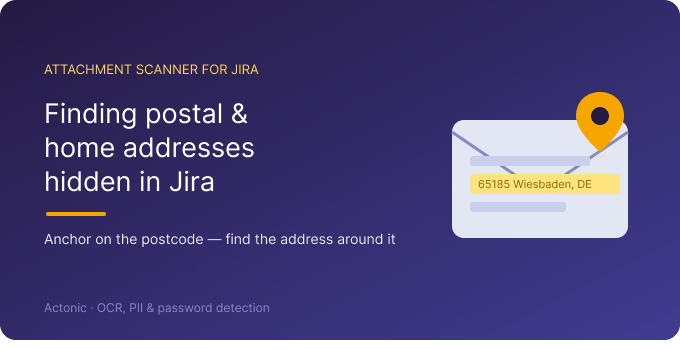
Addresses don’t have a single format, so the trick is to match the parts that are structured. Postcodes are the most dependable anchor: most countries use a tightly defined format you can capture with regex — a UK postcode, a five-digit German PLZ, a French five-digit code, a US ZIP. A pattern for the postcode finds the address around it far more reliably than trying to match the whole thing. You can pair that with keyword anchors that frequently precede addresses, such as Address:, Shipping to, Billing, or street-type words like Street, Straße, Rue, or Ave. Attachment Scanner for Jira lets you supply exactly these patterns — simple text or regex — so you define what an address looks like for the countries you actually operate in.
Running the scan across every file type
Scope the scan with JQL to the projects most likely to hold addresses — logistics, billing, customer-facing service desks — and the app reads every supported attachment: Office documents and CSVs, text-layer and scanned PDFs, plain text, and images, with OCR for anything that isn’t already machine-readable. A document-only scan covers the spreadsheets and invoices that carry a text layer for free; a full scan adds the scanned bills and photographed documents where addresses most often hide. Because OCR work is metered in credits, scoping tightly keeps both runtime and cost predictable.
Reviewing and acting on what you find
Each match comes back with the issue key, the file name, the extraction type, the matched text, and surrounding context, so you can confirm a real residential address versus, say, your own office address in a letterhead. The statistics dashboard rolls results up across scans — match rates and the projects and work items with the most hits — so you can see which queues accumulate the most address data and prioritise them. When a file shouldn’t hold addresses at all, bulk-select the matches and delete those attachments; deletion is always explicit, admin-confirmed, and audit-logged, with nothing removed automatically.
Privacy, honesty, and getting started
For address data in particular, where the scan happens matters: OCR runs on dedicated EU/EEA GPU hardware managed by Actonic, with no public AI service involved. Attachments are processed in memory and discarded; only matched snippets are stored, in Atlassian’s Forge storage, isolated per site. Two honest caveats: regex for addresses will never be perfect — informal or multi-line addresses without a clean postcode can be missed, and some matches will be false positives — so treat the output as a prioritised review list. And as with the rest of the app, scanning is on demand, not continuous, and Jira Cloud only for now. With realistic expectations, postcode-anchored address detection is a practical way to surface a high-sensitivity data type your other tools never see. You can start a free 30-day trial from the Atlassian Marketplace.

 Request