Report Builder Cloud 7.15 Release Notes
A new Report Builder, in fact.
This time, in addition to fixing numerous bugs and improving performance, we’ve completely redesigned the visuals — reducing the number of steps required to generate a finished report.
It is now intuitive, much like an email client or note-taking app.
Report templates require almost no configuration and default to the last opened Jira project. You can also open reports in a new tab. And much more!
Full list of changes:
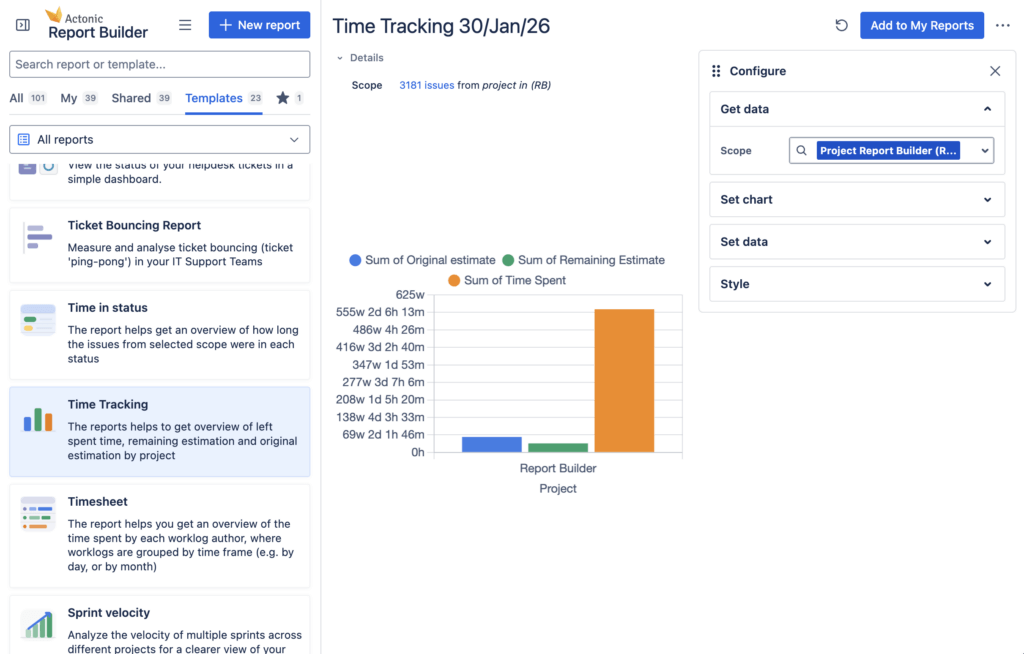
Always-visible Reports & Templates sidebar
- Reports and Templates list is now always visible on the left side
- Selected report opens on the right without hiding the list
- Sidebar can be minimized and auto-expanded on hover (like Jira)
- When opening a report in a new tab/window, the sidebar is minimized by default
Tabs with smart counters
- Default tab is “All” showing all reports including shared and templates
- Dedicated tabs: My, Shared, Templates
- Tabs show badges with item counts that update during search
Search & filtering
- Search field above tabs with instant filtering of loaded items
- Background loading of additional matching results
- Total results counter displayed
Sorting & pagination
- Sort by update date, create date, or name
- Pagination increased to 50 items per page
URL-based navigation
- Tabs are deep-link friendly
- Reports can be opened in a new tab/window
- Links respect current sidebar state (floating/sticky)
Smart Project Pre-selection
- Last opened Jira project is automatically pre-filled in filters for new reports
- See report data almost instantly without manual project selection
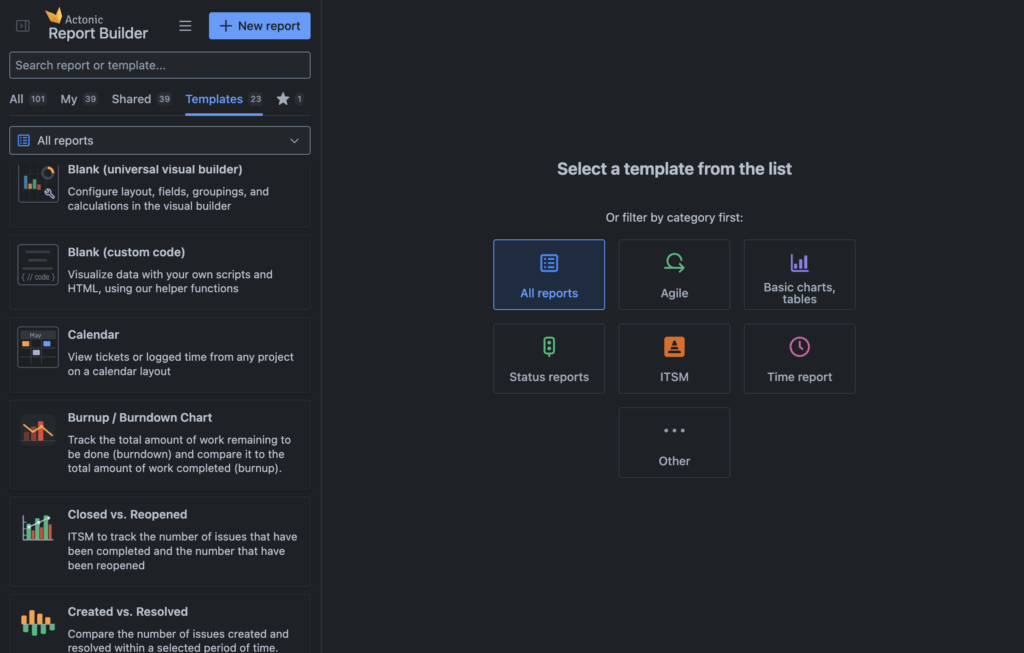
Template Categories
- Category selector above templates list
- Visual “Categories empty screen” with icons to guide new users
- First-time visitors are redirected to Templates tab
- Pulse highlight animation when clicking “+ New report”
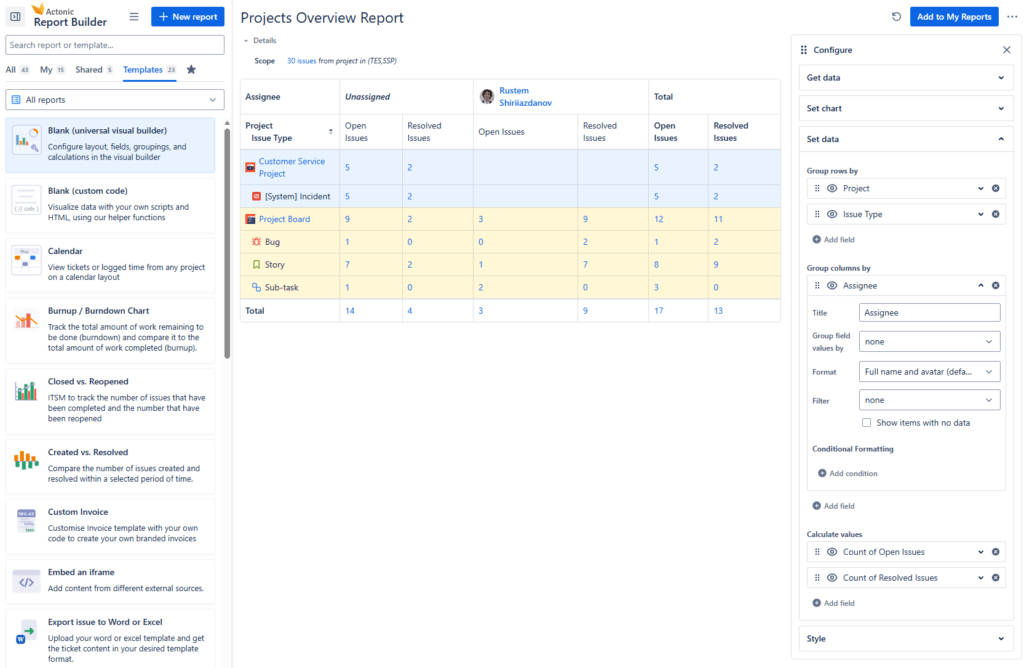
Universal Reports (URT) Improvements
- Renamed template to “Blank (universal visual builder)”
- New “Bright” color scheme for charts (default for new reports)
- “Calm” color scheme preserved for existing reports
- Color scheme is configurable in report “Styles” settings
Scripted Reports Improvements
- New blank template: “Blank (custom code)”
- View mode + Preview tab in edit mode
- “General” tab renamed to “Fields”
- Link to documentation about external report editing
- Improved scroll behavior: report and config panels scroll independently
Calendar Report Improvements
- Added configuration panel (consistent with other report types)
- Edit button, Export to PDF, Print functionality
- Various UI and stability fixes
Report Header & Permissions
- “Permissions and share” added to additional actions menu
- Additional Permissions button appears when report is shared (highlights sharing status)
- “Shared” tag with tooltip showing detailed sharing info
- Removed redundant “View” button (replaced by configuration panel with close button)
Dashboard Gadget Configuration
- Comprehensive gadget configuration panel
- Gadget height settings with min/max restrictions and helpful hints
- Auto-refresh settings
- Improved permissions handling
New JQL Editor
- Replaced old JQL editor with the new modern JQL editor component
Rate Limit Handling (429 errors)
- Automatic handling of 429 rate limit errors from Atlassian APIs
- App gracefully handles situations when API limits are exceeded
Feedback Surveys
- Toggle to enable/disable feedback surveys in Data Collection settings
Localization
- Added missing German translations
Improved Error Handling
- Updated error boundary page inside the new layout so users can continue navigating the app without page reload after errors
Bug Fixes
- Reports & Templates: Fixed loading issues, trust warning, and name editing bug
- Calendar Reports: Fixed popup issues, crash on today button, and dark theme styles
- Scripted Reports: Fixed gadget loading, field bugs, and permissions issues
- Universal Reports: Fixed chart sizing and gadget behavior
- Gadgets: Fixed scroll issues and added manual height control
- Permissions: Improved sharing and settings visibility
- Performance: Faster loading, smooth filtering, and better handling of 429 errors
Interested in our upcoming Report Builder releases? Visit our roadmap on Trello