How I Finally Stopped Answering the Same Question: “Where Do I Log My Vacation and Sick Leave?”
The Moment I Realized It’s a Pattern
Every few weeks, I’d get the same message from someone on my team:
“Hey, where do I log my vacation again?”
“Is it still the same ticket as last year?”
“Do I need to add a comment or a worklog?”
And to be honest, I couldn’t blame them.
I’m the team leader here, at Actonic Products, and I often had to re-read our own policy pages or search Jira myself. We’ve had well-written compliance documents and a dedicated Jira project for years, but when you do something only once or twice a year, it’s natural to forget.
So, a few weeks ago, I decided to fix it once and for all.
The thing is, it wasn’t just one teammate, it was literally everyone (well, ok, except some talented people with ideal memory). Every new vacation period started with the same tries to remember how we’re doing it, and then – searches in confluence for a policies. We have clear documentation on Confluence and a fresh “Vacations YYYY” Jira ticket every year, but the friction was always the same: too many clicks, too much remembering. The same with Sick days logging policies, actually.
That’s when it clicked for me:
We don’t need new documents — we need a faster way to reach the ones we already have.
Aha moment as it is!
Enter the Leave & Absence Helper
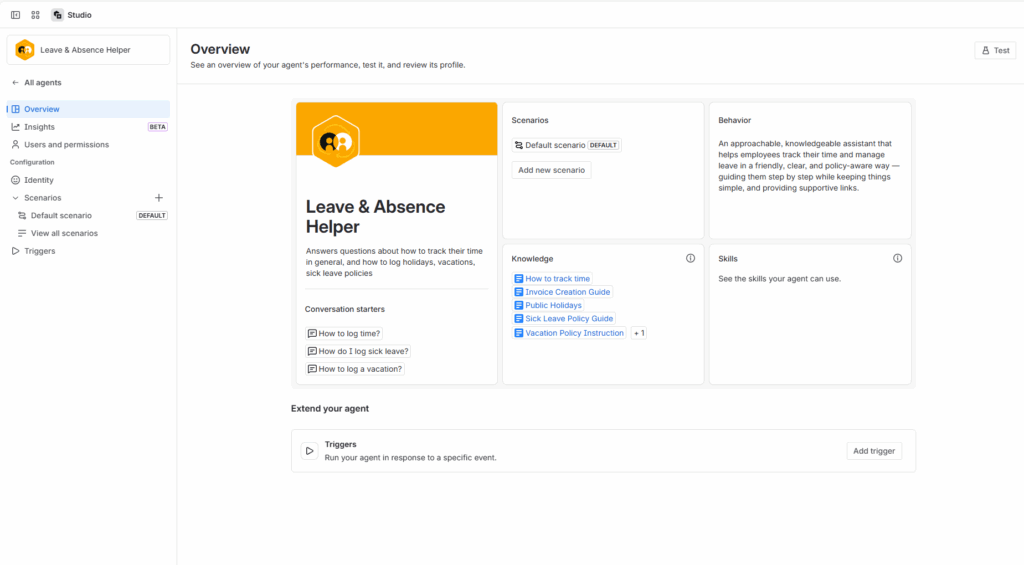
Instead of making another guide, I opened Atlassian Rovo Studio and built a small internal agent called Leave & Absence Helper.
Its only job is to answer questions like
-
“How do I log a vacation?”
-
“How do I report sick leave?”
-
“How do I track my time?”
instantly, with the right steps and the direct Jira link.
Defining Its Identity and Scenarios
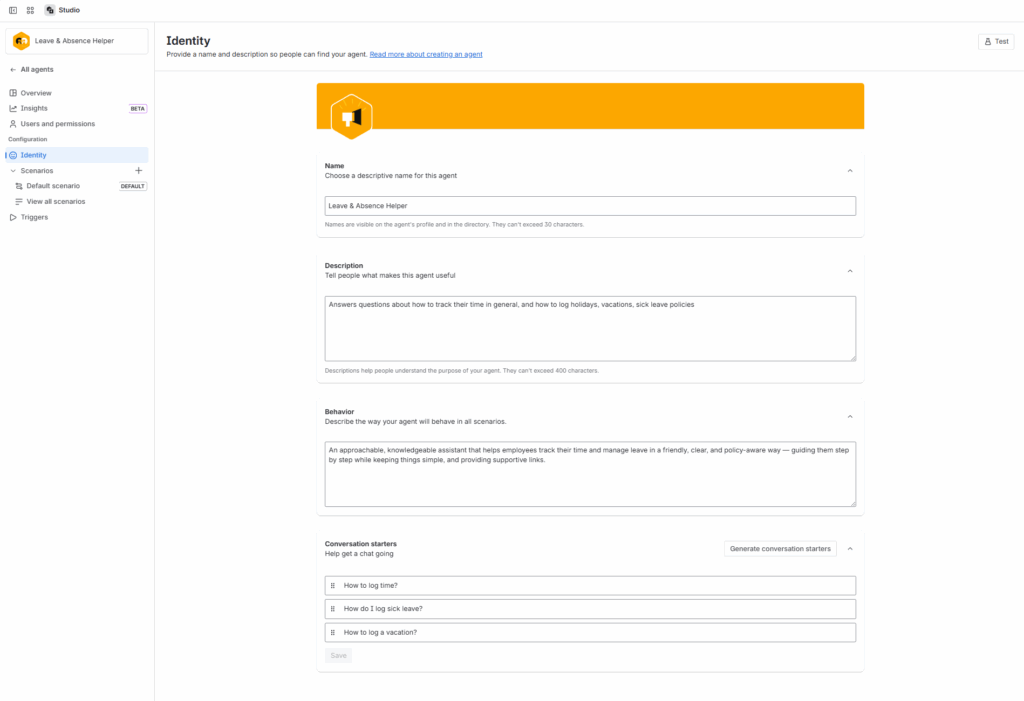
Start is pretty easy – you just give the agent it’s (their? They do act as our teammates after all, living beings) identity. I gave the agent a tone that matched how I would explain things myself:
“An approachable, knowledgeable assistant that helps employees track their time and manage leave in a friendly, clear, and policy-aware way — guiding them step by step while keeping things simple.”
Notice I refined the prompt with ROVO Studio itself, which is quite helpful.
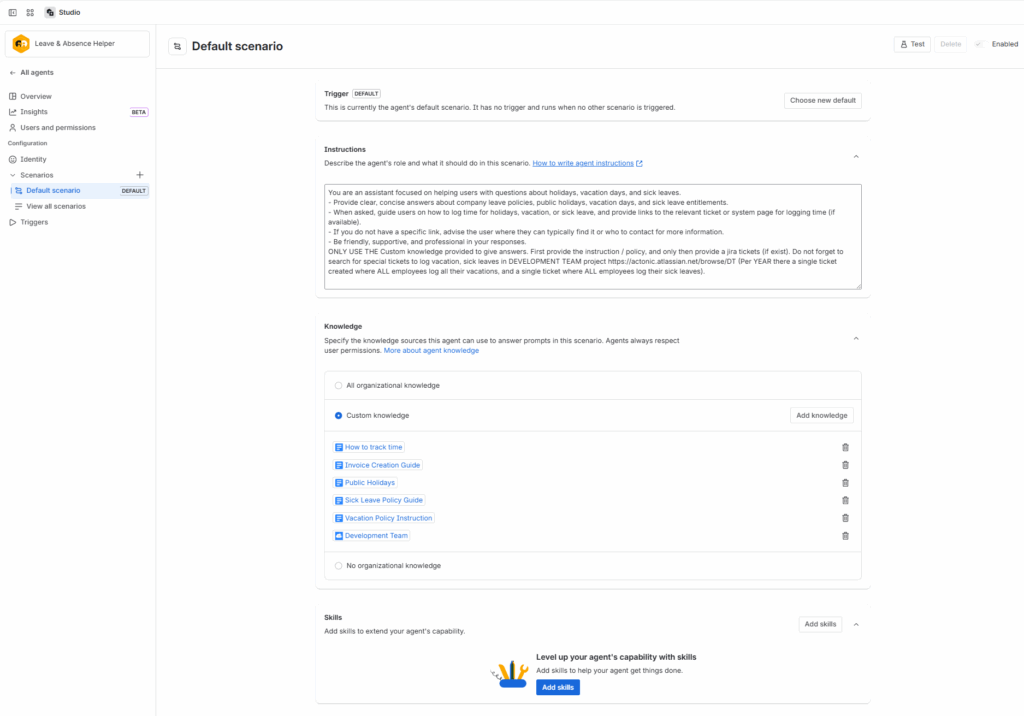
I used only “default” scenario for the agent, but probably I will extend it in the future. My scenario behaviour was:
You are an assistant focused on helping users with questions about holidays, vacation days, and sick leaves.
– Provide clear, concise answers about company leave policies, public holidays, vacation days, and sick leave entitlements.
– When asked, guide users on how to log time for holidays, vacation, or sick leave, and provide links to the relevant ticket or system page for logging time (if available).
– If you do not have a specific link, advise the user where they can typically find it or who to contact for more information.
– Be friendly, supportive, and professional in your responses.
ONLY USE THE Custom knowledge provided to give answers. First provide the instruction / policy, and only then provide a jira tickets (if exist). Do not forget to search for special tickets to log vacation, sick leaves in DEVELOPMENT TEAM project https://actonic.atlassian.net/browse/DT (Per YEAR there a single ticket created where ALL employees log all their vacations, and a single ticket where ALL employees log their sick leaves).
It could look somewhat strict, but I have to make it strict avoiding the misbehaviour patterns typical for AI assistants. My first attempt to give it more freedom with the scenario was actually good, but it sometimes was too quick to answer people HOW to do the things instead of telling them important DETAILS of doing the thing.
Giving It the Right Knowledge
We didn’t connect the entire Confluence space since that would just confuse the agent. Instead, I fed the agent a small, curated set of verified internal documents (as shown in our Default Scenario view):
-
Vacation Policy Instruction
-
Sick Leave Policy Guide
-
Public Holidays
-
How to Track Time
-
Development Team project in Jira
That was enough. The agent learned only from official sources, and not from anything random or outdated.
Simplicity and Peace
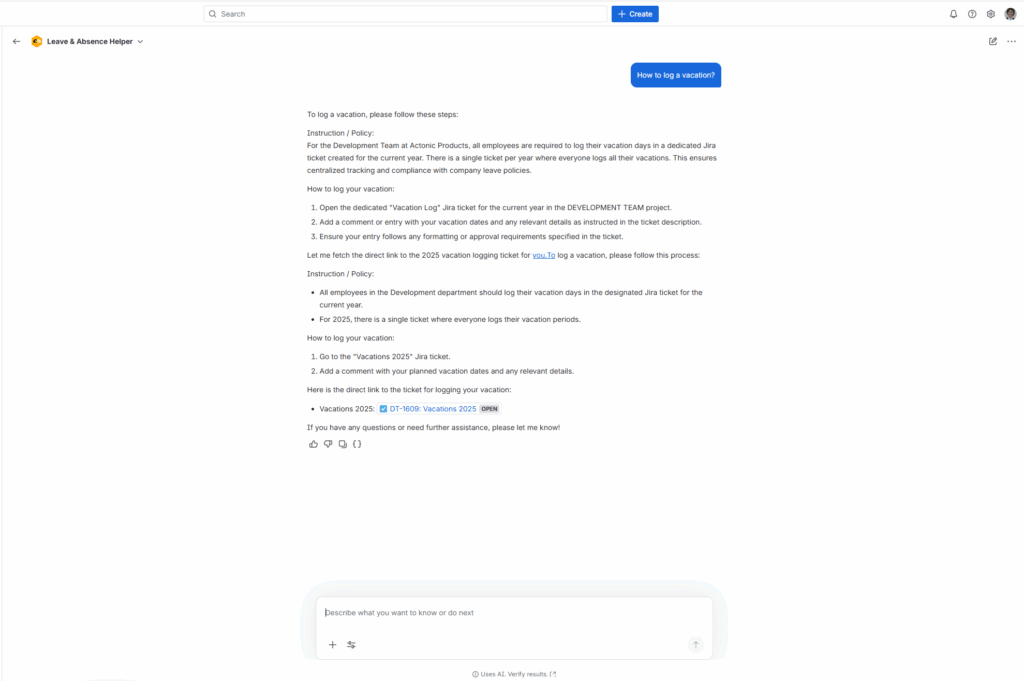
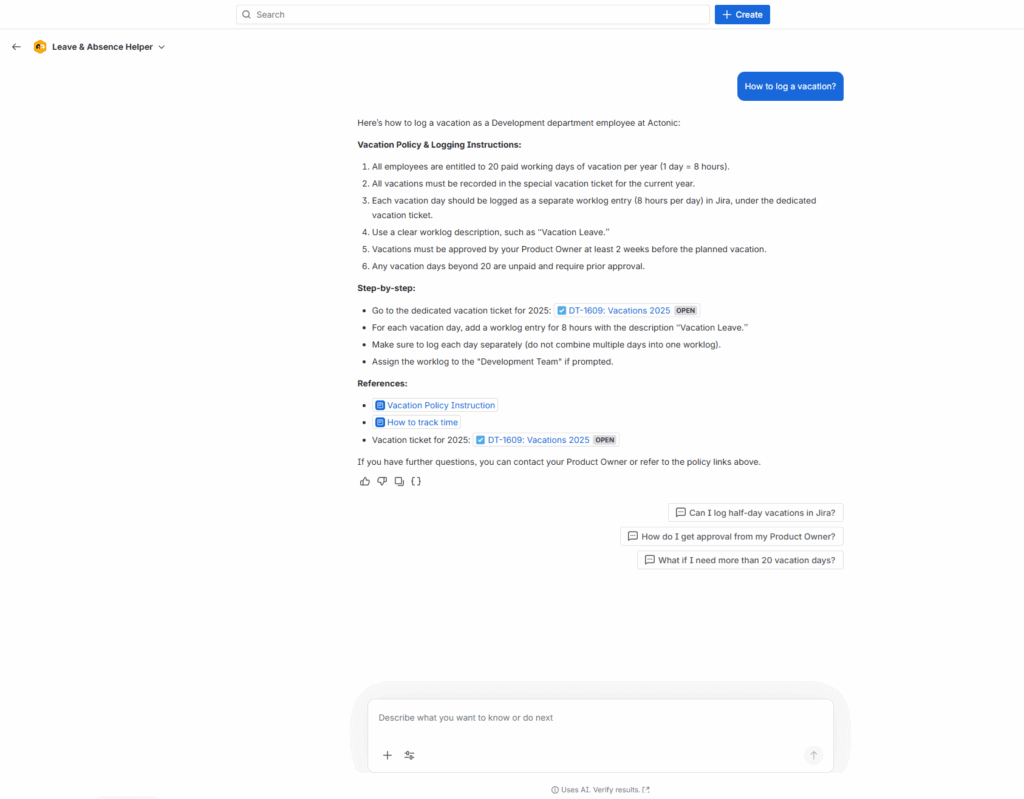
Now, when someone asks
“How do I log a vacation?”
the agent replies immediately with:
-
Our official policy summary
-
Step-by-step instructions
-
A direct link to the correct Jira ticket (like DT-1609: Vacations 2025)
-
References to our internal pages
and even smart follow-ups like
“Can I log half-day vacations in Jira?”
“How do I get approval from my Product Owner?”
Since then, no one has asked me the same question twice. And, honestly, I don’t need to remember the process myself anymore, I just ask the agent.
Why This Works Better Than Just Having Documents
You may think the problem is the bad documentation, or bad knowledge organisation and management. But we’ve always had great documentation. The problem wasn’t the content, it was the context switching.
Every time someone wanted to check the policy, they had to open Confluence, search, scroll, find the right year, then open Jira, find the right ticket…
Even with shortcuts and smart links it still was a few clicks to do, and you had to know where to click!
The Leave & Absence Helper does that mental navigation for you.
It connects the dots between our documents and daily actions, so knowledge becomes instantly usable.
Reflection & Next Steps
I created the Leave & Absence Helper because I was tired of answering the same questions, but actually it ended up helping me even more. Now, I don’t need to remember policies or links, I just ask my own agent.
And that, I think, is the best kind of automation: not replacing people, but freeing them from the things we all forget once or twice a year.
Want to Build Something Similar?
If you’re managing teams in Jira and want to save everyone time, try creating your own Rovo agent.
Start small.
Use the documents you already have.
Let AI handle the remembering.
Or, if you want to see how we combine this with some advanced tools —
➡️ Book a short call with us.