The data protection toolkit
every Jira admin needs.
We protect 500K+ users across 300+ Jira instances.
Five things every Jira admin has
put off until next quarter.
DPT was built for the work nobody volunteers for — the cleanup that has to happen before the audit, after the leaver, when the regulation changes.
Inactive users and "delete my data" requests, processed in bulk
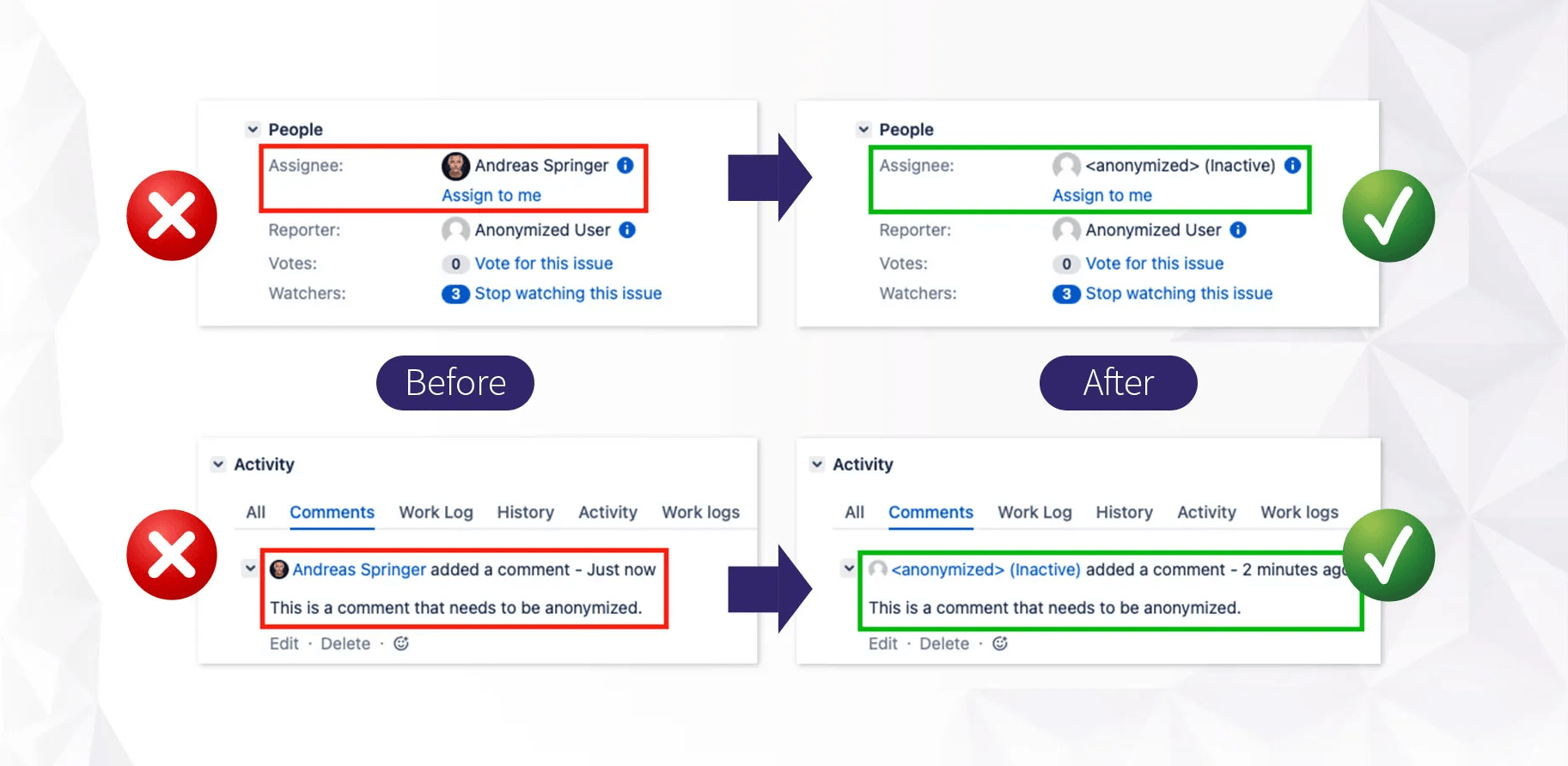
Anonymize one user, a group, or everyone inactive over two years — in a single run. Replace with a service user or roll all into "Former employee." Issue history, comments, and worklogs stay. The personal data goes.
Read how it works →Emails, passwords, credit cards, phone numbers, API tokens — find them all
RegEx-based scan across issues using built-in templates or your own patterns. Then redact, replace, comment, notify, restrict access, or fire a webhook. Run once, or schedule weekly.
Read how it works →Tune it to your regulation, not the other way around
GDPR, CCPA, HIPAA, LGPD, or your own internal policy. Your compliance team writes the rules; the toolkit runs them. No fixed "GDPR mode" you have to bend your reality into.
Read how it works →Every run logged. Every change recorded. Evidence when the auditor asks.
Every operation the app performs is logged — anonymization runs, content scans and redactions, rule changes, consent acceptances — with timestamp, operator, scope, and outcome. The audit trail builds itself as you work.
Read how it works →Tell users about a new policy — and prove they accepted it
Dialog, banner, or login-blocking screen. Target by project, group, or logged-in vs anonymous. Track who accepted, who declined, and when — exportable to CSV for your compliance file.
Read how it works →How user anonymization
actually works.
Pick users individually, by group, by directory, or by activity (inactive since a date). Choose your anonymization method per run: redact email, scramble name, replace with a target user, or roll everyone into a single "Former employee" account.
The toolkit replaces references across issues, comments, worklogs, and JSD customer accounts. Issue history stays intact — the audit trail survives, the personal data doesn't.
What it can't do: users stored in external directories (LDAP, Crowd, Azure AD) have to be removed from the directory and re-synced first. Same constraint as native Jira. The toolkit tells you which users this applies to so you know what to do next.
Finding what
shouldn't be there.
Sensitive data ends up in Jira because work happens in Jira. A production incident at 2 AM, someone pastes a password in a comment "just for a minute." A customer ticket includes a credit card number in the description. Nobody notices, nobody removes it, and Jira keeps it forever — including in the issue history, where editing the comment doesn't remove the earlier version.
The toolkit scans for it with RegEx. Built-in templates cover the common patterns. Custom patterns cover your own — API tokens, internal IDs, employee numbers, anything you can describe as a regular expression.
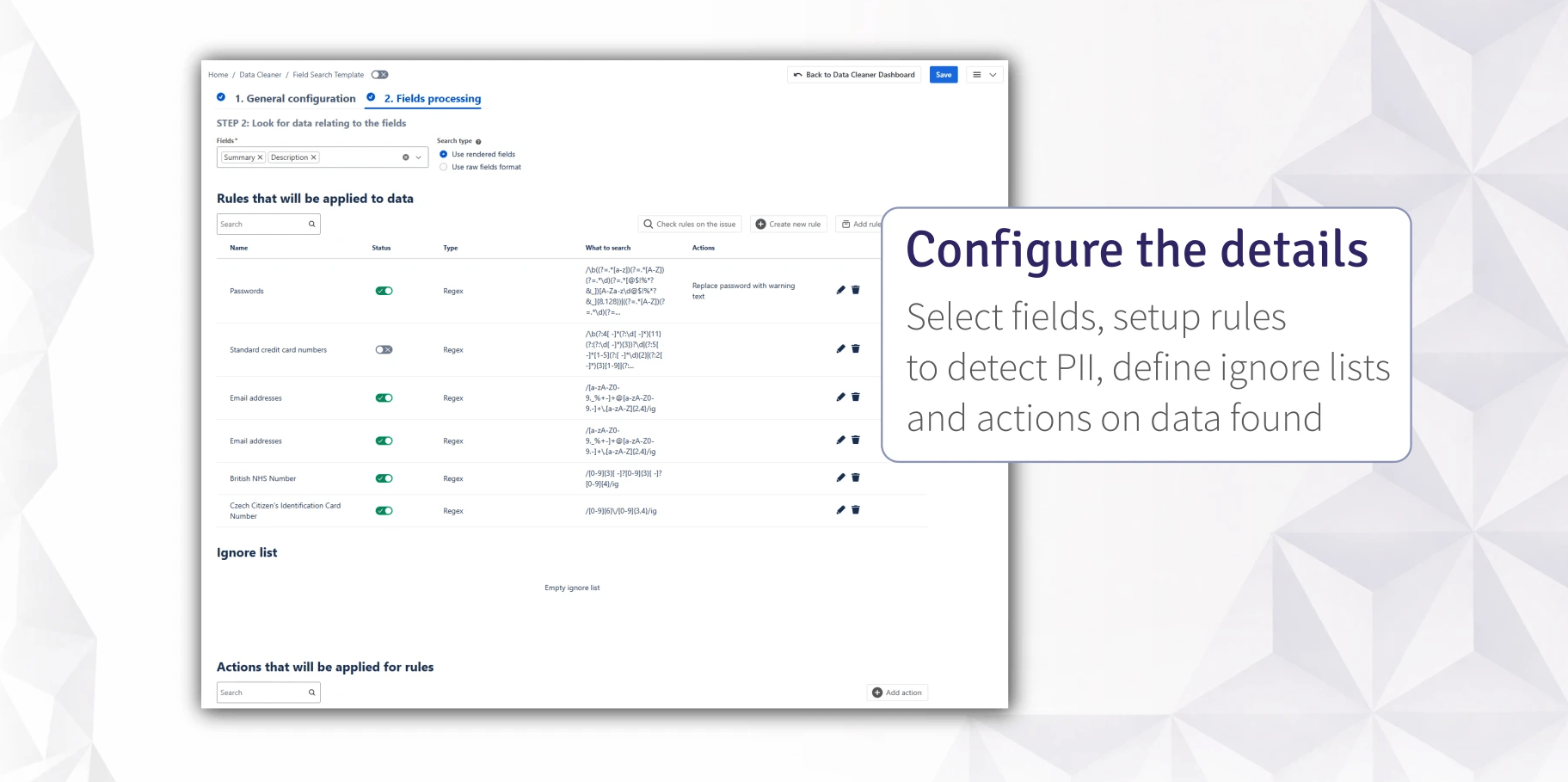
Found items get actions: redact in place, replace with placeholder text, add a comment explaining what was removed, add a label, notify the reporter or assignee, restrict view and edit access, or send a webhook to your own system.
Honest about scope: attachment scanning — filenames and content, via OCR — is handled by a dedicated companion app, Attachment Scanner.
Tune it to your regulation,
not the other way around.
Compliance products that ship with a fixed "GDPR mode" or "HIPAA mode" make a bet about what your auditor will ask. That bet is almost always wrong, because what your auditor asks depends on your industry, your contracts, your jurisdiction, and the auditor's own checklist.
So we don't make the bet. The toolkit gives your compliance team the building blocks — RegEx patterns, anonymization methods, scheduling, audit logging — and your team writes the rules that match your regulation.
sk_* · on every comment · webhook to secrets vaultIf you need email addresses redacted under GDPR Article 17, you write the rule. If you need PHI removed for HIPAA §164.514, you write a different rule. The toolkit runs both, on the same instance, on different schedules, without forcing you to pick a "mode."
If you want help building the rules, our data protection consulting service is available.
Evidence the auditor
will accept.
Most compliance tools help you do the work. Fewer help you prove you did it. The auditor asking "show me your data protection process" doesn't want your config — they want the artifacts.
Everything the toolkit does is written to a log. The entries an auditor cares about:
Together: a documentation trail for a SOC 2, ISO 27001, GDPR, or HIPAA audit that the toolkit produces as a side effect of normal operation. Not something you have to assemble retroactively the week before the auditor arrives.
When the policy change matters,
the banner doesn't.
The default Jira announcement banner sits at the top of the page and gets ignored within a week. It's fine for "we're upgrading tonight." It's not enough for "we updated our privacy policy and we need you to accept it before you do anything else in Jira."
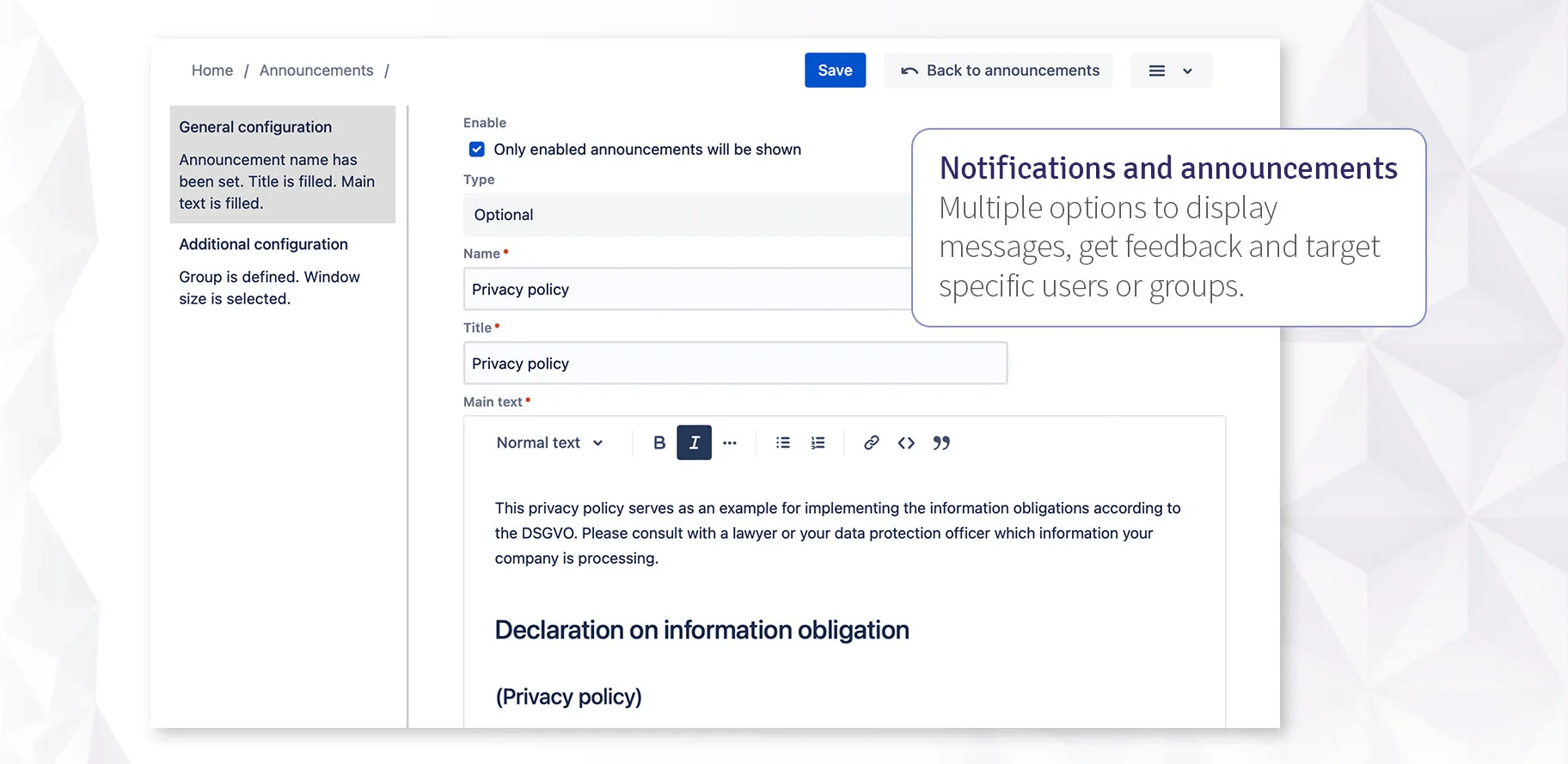
The Notifications & Announcements module gives you the formats the native banner doesn't:
Deleted announcements stay in the recycle bin for 30 days before permanent deletion — because someone always deletes the wrong one.
Standard Atlassian
Marketplace tiers.
Pricing scales with your Jira user tier. No surprises, no per-seat add-ons. Uninstall removes all stored data within 30 days.